
Find the item. Know the next step.
LoongBuy Spreadsheet
Good finds start with a link.
Browse product categories, check what the listing actually includes, then use LoongBuy to purchase and ship. Already bought your goods? Start with the forwarding guide instead.
Browse the spreadsheet
Pick a category. Check the details.
 SneakersCheck size, colour and the exact listing.
 T-shirtsCompare measurements and print placement.
 HoodiesConfirm the colour and garment measurements.
 Jackets and coatsCheck material, lining and packed weight.
 BagsCheck dimensions, accessories and packaging.
 JerseysConfirm team, season and any custom name.
Product pictures show category examples. Availability, variants and the seller’s current price need checking on the listing.
Two parts of the same purchase
What is a LoongBuy Spreadsheet?
A LoongBuy Spreadsheet is a browsable collection of product links. It helps you find listings by category and compare candidates before you pay. This guide adds the checks that matter after discovery: size, quantity, seller terms and the full cost of shipping.
Why use this spreadsheet?
Start from a useful category, keep the original product URL and follow a guide for the step you are on. You can see the difference between buying through an agent and forwarding something you already own, without mixing the two arrangements.
How to read a product link →What does LoongBuy do?
LoongBuy is a shopping agent: you submit a marketplace product link and order details; the agent purchases from the seller, receives the goods and helps arrange international shipping. Warehouse photographs give you a chance to review the arrival before submitting a parcel.
Why choose LoongBuy?
It may suit a buyer who wants purchasing, warehouse review and parcel submission in one account. Check its inspection limits, payment costs and available routes for your actual goods before deciding. A convenient process does not make every item eligible to ship.
Check the agent and this guide →
A useful first decision
What are you starting with?
Choose your situation to find the right next page. This tool gives guidance; it does not submit an order.
Pick one above
Two routes, one decision
Every answer leads to one of two arrangements, and they are not the same deal. Choose the line that matches what you have in front of you right now.
From the listing to your door
Make the next decision with confidence.
Check the item before you pay
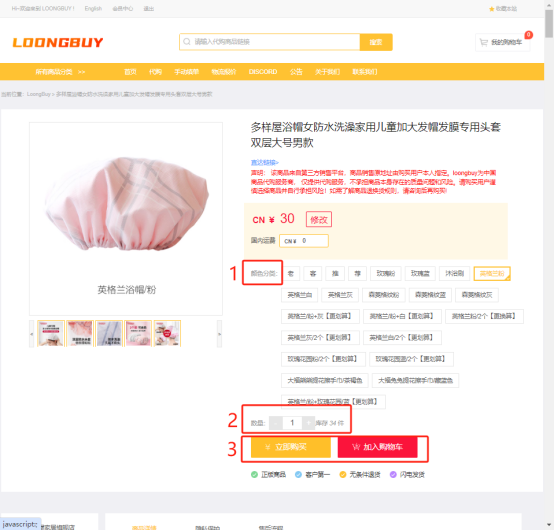
Open the original listing, choose the variant and save the size, colour, quantity and seller’s terms.
Read the warehouse photos
Compare the arrival with your order. Ask about missing angles or measurements before parcel submission.
Budget for the parcel
Allow for freight, packaging, exchange costs and any destination charges. Use the live quote for your address.
When a question comes up
Help for the points where orders pause.
Does the spreadsheet sell the goods?
No. It helps you find product links and understand the process. Check and purchase through the agent’s ordering interface; this site has no access to your account.
Is the product price the total cost?
No. Goods, domestic delivery, international shipping, optional services and applicable destination charges can be separate. Read the cost guide before setting a budget.
Does QC guarantee quality or authenticity?
No. Warehouse QC records visible details within the operator’s inspection scope. It cannot establish authenticity, fit or the function of every product. Use the photo checklist and ask for clarification where needed.